Increased computer performance is essential for a smooth and efficient computing experience. Whether you’re a gamer, a video editor, or just a regular user, a fast computer can make all the difference. In this article, we’ll explore the best ways to increase computer performance, including tips on hardware upgrades, software optimization, and maintenance. With increased computer performance, you can enjoy faster loading times, improved multitasking, and a more responsive system. For instance, a computer with a fast processor and ample memory can handle demanding tasks like video editing and 3D modeling with ease, resulting in increased computer performance.
Understanding Computer Performance
Computer performance refers to the speed and efficiency at which a computer can execute tasks. It’s affected by various factors, including the processor, memory, storage, and operating system. To improve computer performance, it’s essential to understand these factors and how they interact with each other. For example, a computer with a fast processor but limited memory may not perform as well as a computer with a slower processor but ample memory. Similarly, a computer with a slow storage drive may take longer to load programs and files, even with a fast processor. This is because the storage drive is a bottleneck, limiting the overall performance of the system and preventing increased computer performance.
To illustrate this, consider a computer with a 3.2 GHz processor, 4 GB of memory, and a traditional hard drive. Upgrading the memory to 8 GB or 16 GB can significantly improve performance, especially when running multiple applications simultaneously. However, if the storage drive remains a traditional hard drive, the overall performance may still be limited. In contrast, upgrading to a solid-state drive (SSD) can greatly improve loading times and overall performance, leading to increased computer performance. For instance, an SSD can reduce loading times by up to 70% compared to a traditional hard drive, resulting in a more responsive system and increased computer performance.
Increased Computer Performance through Hardware Upgrades
One of the most effective ways to increase computer performance is through hardware upgrades. Upgrading the processor, memory, or storage drive can significantly improve a computer’s speed and efficiency. For instance, upgrading from a traditional hard drive to a solid-state drive (SSD) can greatly improve loading times and overall performance. According to a study by Tom’s Hardware, upgrading to an SSD can improve overall system performance by up to 30%. This is because SSDs have faster read and write speeds, resulting in increased computer performance.
Another option is to add more memory (RAM) to the computer. This can help improve performance by allowing the computer to handle more tasks simultaneously. However, it’s essential to ensure that the new hardware is compatible with the computer’s existing configuration. For example, if the computer has a 32-bit operating system, it may not be able to utilize more than 4 GB of memory. In such cases, upgrading to a 64-bit operating system can help unlock the full potential of the additional memory, leading to increased computer performance. Additionally, upgrading the graphics card can also improve performance in games and other graphics-intensive applications, resulting in increased computer performance.
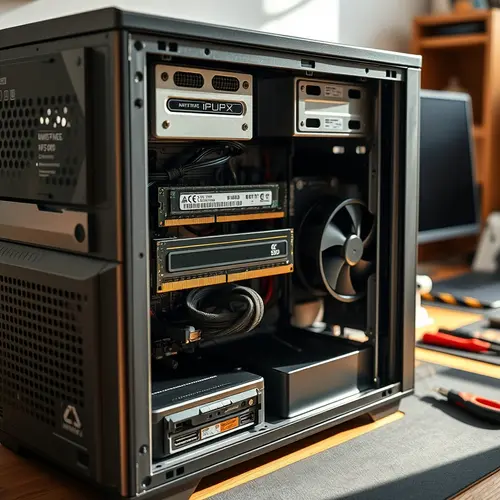
When upgrading hardware, it’s also important to consider the power supply and cooling system. A sufficient power supply can ensure that the new hardware is properly powered, while a good cooling system can prevent overheating and maintain increased computer performance. For instance, a computer with a high-performance processor and graphics card may require a more powerful power supply and a better cooling system to maintain optimal performance and prevent overheating, which can reduce increased computer performance.
Software Optimization for Better Performance
Software optimization is another crucial aspect of increasing computer performance. This involves optimizing the operating system, programs, and settings to run more efficiently. For example, disabling unnecessary startup programs and background applications can help improve boot times and reduce memory usage. According to a study by PCMag, disabling unnecessary startup programs can improve boot times by up to 50%. This can result in increased computer performance, as the system can allocate more resources to essential tasks.
Additionally, updating the operating system and software regularly can help improve performance by patching bugs and improving compatibility. It’s also essential to use reputable antivirus software to protect the computer from malware and other threats. Malware can significantly slow down a computer, so keeping the system protected is crucial for maintaining increased computer performance. For instance, a computer infected with malware may experience a significant decrease in performance, while a protected system can maintain its performance and responsiveness, resulting in increased computer performance.
Furthermore, optimizing the computer’s settings for specific tasks can also improve performance. For example, adjusting the graphics settings in games or disabling unnecessary features in resource-intensive applications can help improve performance. It’s also important to monitor the computer’s performance regularly and adjust settings as needed to maintain optimal performance and increased computer performance. This can include tasks such as disk cleanup, disk defragmentation, and checking for malware, which can all impact increased computer performance.
Maintenance and Troubleshooting for Optimal Performance
Regular maintenance and troubleshooting are essential for optimal computer performance. This includes tasks such as disk cleanup, disk defragmentation, and checking for malware. It’s also important to monitor the computer’s temperature and ensure that it’s running within a safe range. According to a study by TechRadar, a computer’s temperature can significantly impact its performance, with high temperatures reducing performance by up to 20%. This highlights the importance of proper cooling and maintenance in maintaining increased computer performance.
For more information on how to boost PC speed, check out our article on 7 Proven Performance Tweaks That Work. We also have an article on 7 Proven Fixes to Make Your Old Computer Run Faster. These articles provide detailed guides on how to improve computer performance, including tips on hardware upgrades, software optimization, and maintenance, all of which can contribute to increased computer performance.
Increased Computer Performance for Gaming and Resource-Intensive Tasks
For gamers and users who run resource-intensive tasks, increased computer performance is crucial for a smooth and enjoyable experience. This can be achieved through a combination of hardware upgrades and software optimization. For example, upgrading the graphics card or adding more memory can help improve performance in games and other graphics-intensive applications. According to a study by Digital Trends, upgrading the graphics card can improve gaming performance by up to 40%. This can result in increased computer performance, as the system can handle more demanding tasks with ease.
It’s also essential to optimize the computer’s settings for gaming and resource-intensive tasks. This includes adjusting the graphics settings, disabling unnecessary features, and using performance-enhancing software. For more information on how to speed up your PC for gaming, check out our article on 7 Expert Methods That Actually Work. These methods can help improve computer performance, resulting in a more responsive and enjoyable gaming experience, with increased computer performance.
Conclusion and Additional Resources
In conclusion, increasing computer performance requires a combination of hardware upgrades, software optimization, and regular maintenance. By following the tips and tricks outlined in this article, you can improve your computer’s speed and efficiency, whether you’re a gamer, a video editor, or just a regular user. With increased computer performance, you can enjoy faster loading times, improved multitasking, and a more responsive system, making it an essential aspect of any computing experience.
For more information on IT support and services, check out our article on What Is IT Support? Definition, Services and Benefits. We also have an article on 7 Proven Ways to Make Your Mac Faster. According to the official Microsoft Windows 11 specifications, upgrading to the latest version of Windows can also improve computer performance, resulting in increased computer performance. By taking advantage of these resources and following the tips outlined in this article, you can improve your computer’s performance and enjoy a faster, more efficient computing experience, with increased computer performance.
How can I improve my computer’s performance?
You can improve your computer’s performance by upgrading the hardware, optimizing the software, and performing regular maintenance tasks. In practice, results vary with individual circumstances, so use these guidelines as a starting point and adjust them to your own needs.
What are some common causes of slow computer performance?
Common causes of slow computer performance include outdated hardware, malware, and resource-intensive programs. In practice, results vary with individual circumstances, so use these guidelines as a starting point and adjust them to your own needs. In practice, results vary with individual circumstances, so use these guidelines as a starting point and adjust them to your own needs.
Can I improve my computer’s performance without upgrading the hardware?
Yes, you can improve your computer’s performance without upgrading the hardware by optimizing the software, disabling unnecessary features, and performing regular maintenance tasks. In practice, results vary with individual circumstances, so use these guidelines as a starting point and adjust them to your own needs.
About the Author